Why would I need a project management tool?
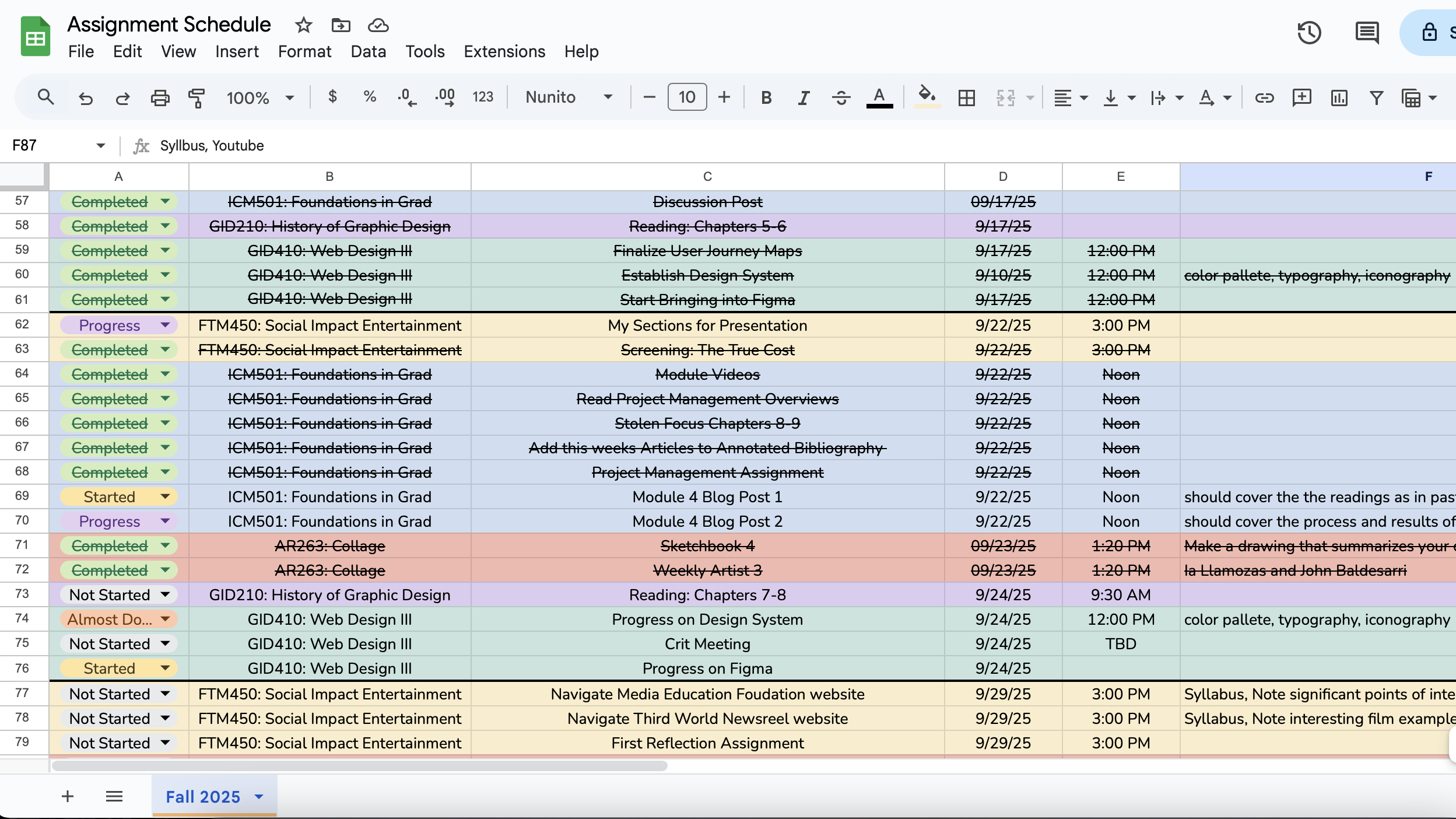
Frankly, I had never even thought about having one for myself. I’m only one person; I don’t have a team of people doing my coursework. So why would I need a project management tool? Besides, I’ve been making do with my Google sheet. I have used that system since my first semester of college.
I did not even know you could use most project management systems with only one person and for free. So I tested it out to see if it could fill the gaps my spreadsheet leaves.
Researching
Going into this, I knew I didn’t want to use Trello. I use Trello for my internship, and while I don’t dislike it, I wanted to explore what else was out there.
One feature that was very important to me in my search was a subtask feature. While Trello does have this, I wanted something a little more in-depth than its checklist feature.
Ads for Monday.com always interested me from their ads, but after looking into it a little more, I felt it may be a little more well-suited for teams, as opposed to just me.
Now for ClickUp and Asana. I had never really heard much about ClickUp, so I had to do a little more research on it. Asana, I had seen briefly when I shadowed for a day with the graphic design department at the New York Giants. I compared these two sites, looking into the pros and cons of both, seeing what was and what wasn’t available in the free version.
Despite Asana’s advantage, I decided to go with ClickUp because I felt like their free version offered more, and if I ever did decide to upgrade to a paid plan, it would be cheaper to do so.
Setting Up
After I made my decision, it took me a moment to get used to ClickUp. After some trial and error, however, I got the hang of it.
I started out by plugging my master’s course into ClickUp by module, starting from one. I detailed each step of each task in each module with a plethora of subtasks.
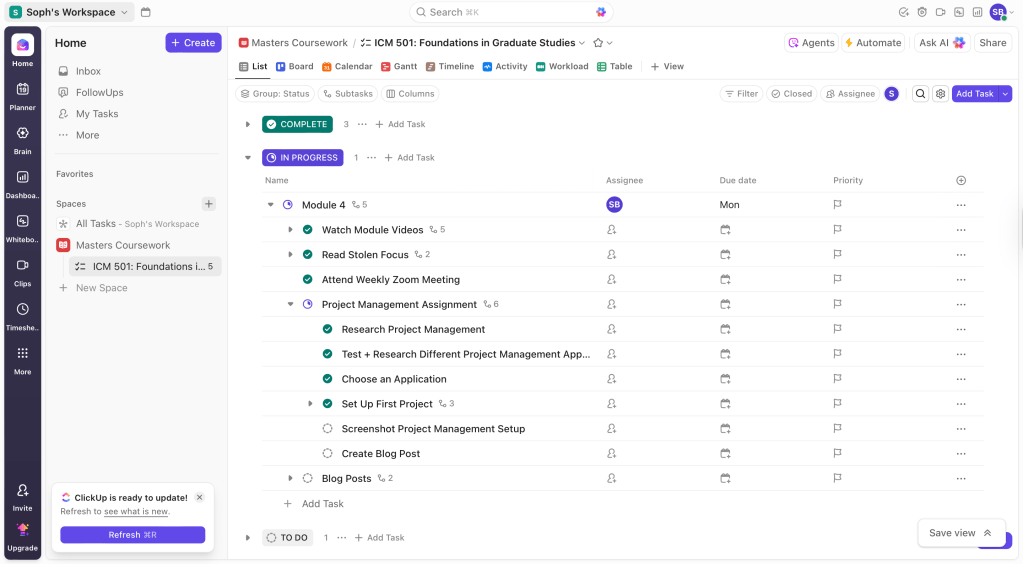
I then plugged in due dates and checked off my work that had already been completed so far this semester.
Who doesn’t love checking off their tasks?

My Thoughts
I have only scratched the surface of all the features of ClickUp, but so far, I really enjoy it.
It’s like my spreadsheet but upgraded. I can see all my tasks, due dates, and status all at once. With this system, I can also see priorities and subtasks.
I typically only break down tasks in my mind or just have a million separate tasks on my spreadsheet. It’s cleaner and more condensed. It’s all written down and keeps me from forgetting parts of a task.
Even better? More things to check off my to-do list!
But will I continue and expand my project management use?
I don’t think I need it for everything. For simpler tasks and courses, my current spreadsheet section works just fine. I don’t need this for my art class, where I only have to work on my sketchbook every week. It’s certainly more helpful for my graphic design courses and my master’s courses, where all my tasks have a lot of layers.
I can also see using it for personal projects to keep track of subtasks and due dates, and also help in the planning process.
I would also really love to use something like this in the future when I am freelancing or working as a professional designer.
I think developing these skills now is very important for both me and my future career success. I am excited to level up my organizational skills as I dive into this program more and test out everything I have yet to touch.

 Life: Designed
Leave a comment