I’m currently working on an icon set. On the market, there are hardly any icons representing curly hair, let alone the variety of types it comes in. So, I decided I’ll make some myself.
I’m at about the halfway point in the production phase as I create this product and prep it to sell. Here’s what this week looked like.
What I Accomplished
My main goal this week was vectorizing the sketches I made last week. Basically, I needed to translate my pencil-on-paper ideas to digital. To do this, I worked primarily in Adobe Illustrator.
Aside from the main task, I also began thinking about what it’ll look like when I’m actually selling this product. I did some light platform research and started mapping out my sales page.
Vectorizing Graphics
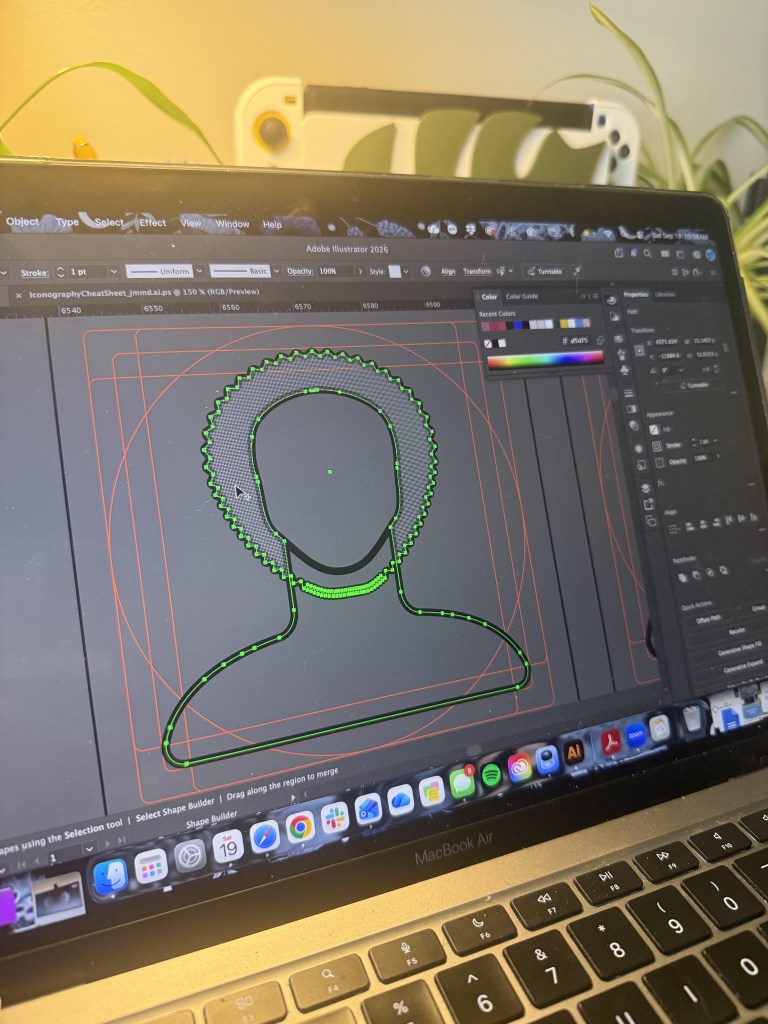
To vectorize my sketches, I brought a photo of my sketch into Illustrator to create the base for my person icons. Each hair type and style would sit on the same “person” graphic, so naturally establishing that was the first step. I used different shapes and adjusted anchor points and corners until I had a base I was happy with.
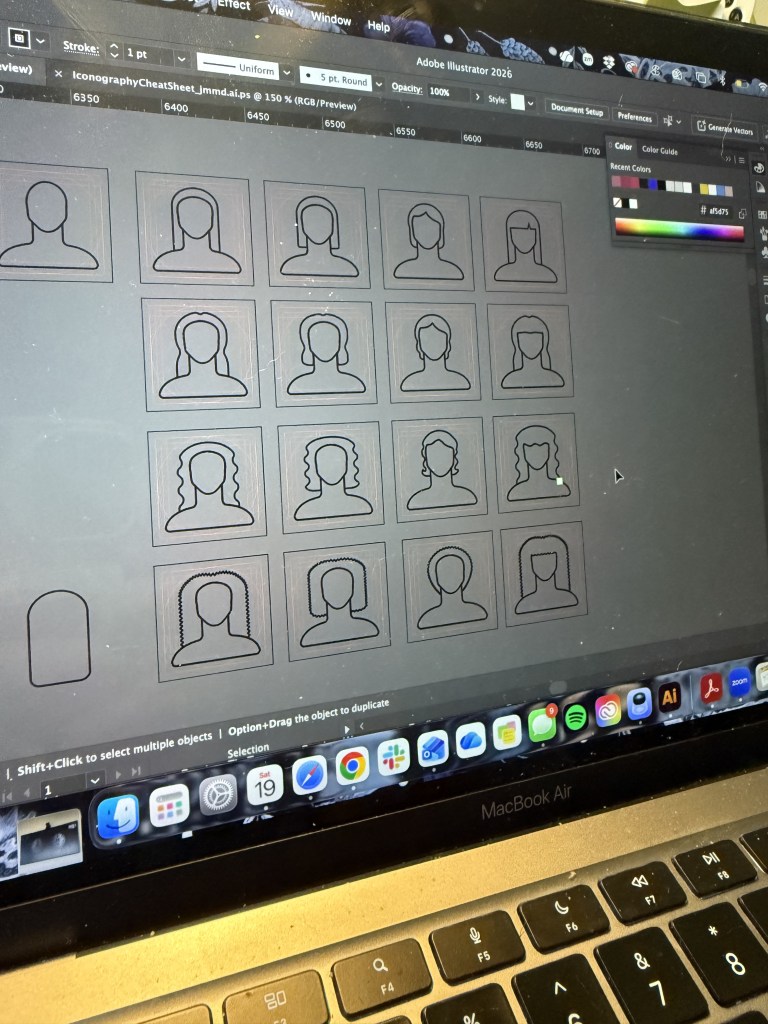
From there, I went through each curl pattern grouping, creating icons for long, medium, and short hair. This ensured there’d be lots of variety and would result in a product everyone could see themselves in. In the end, I created 48 icons including 24 hair types and style variations, 10 curl pattern icons, and 14 hair accessories, tools, and other miscellaneous icons.
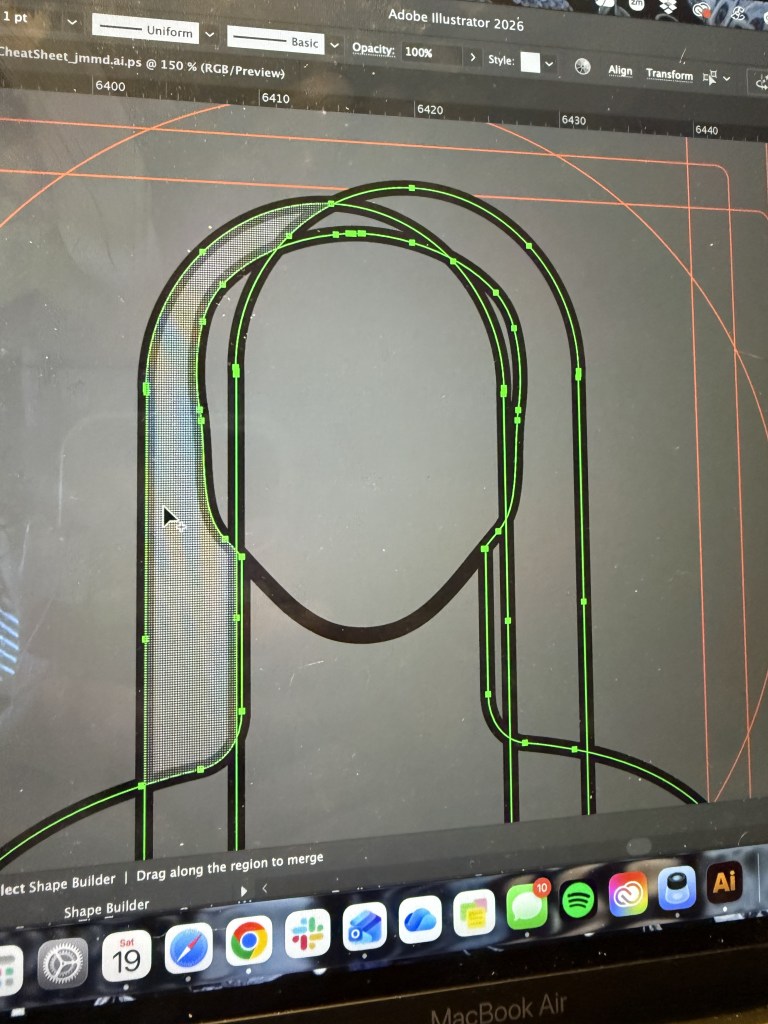
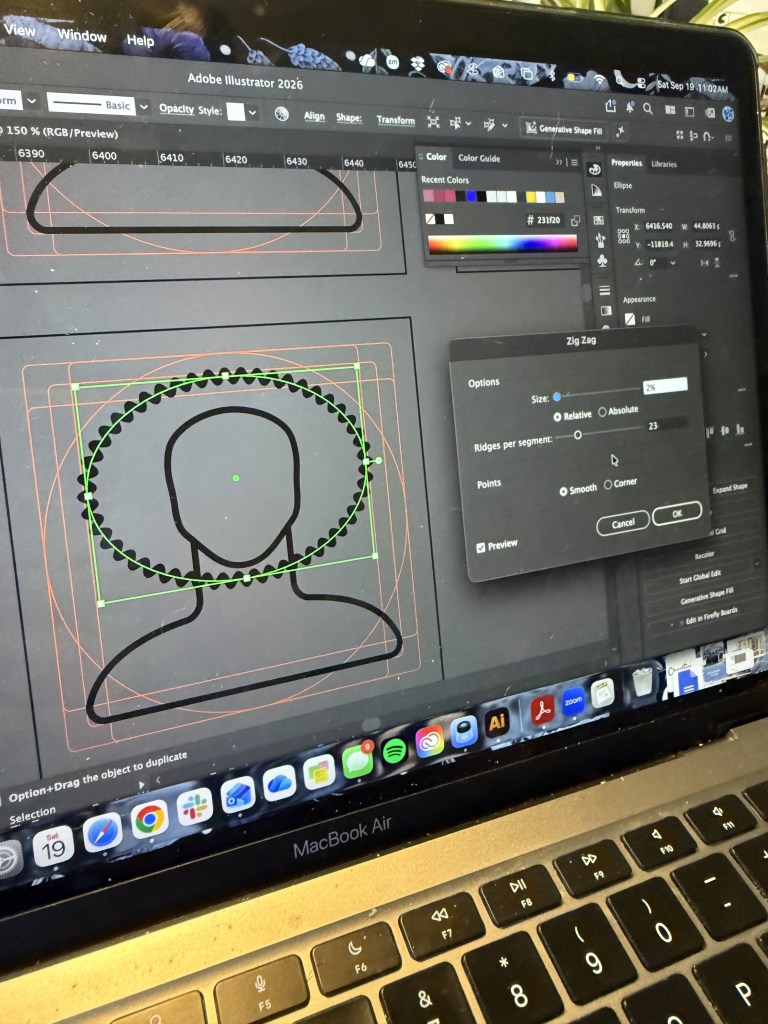
Throughout my process, I used the Pathfinder, Zig-Zag effect, and Shape Builder tool. I’ve used all these tools before but I was a little rusty, so it took a bit of a learning curve before I got comfortable again. A new technique I discovered was using the Pathfinder tool and circles to cut out chunks of the hair. Once it adequately looked like Swiss cheese, I then rounded the edges to create larger curls. This let me have a little more control over curl placement.
Platform Research
As I prep my product, I want to make sure I understand what I need to set up the sales page. Your shop has to be approved on Creative Market, so I looked into exactly what was needed to start that process. Apart from simple “what are you selling” questions, I basically only needed to upload my product. So, for now, I’ve put a pin in my account until my product is all ready for launch.
Since there’s a chance I don’t get approved for a Creative Market shop, I also made an account with Gumroad. There’s a similar and straightforward product creation page, just without the need to get approved. I’m feeling comfortable with my options and am happy to have a fallback if Creative Market doesn’t work out.
Sales Page Planning
I’ve created a little roadmap for my sales page to help me later down the line. This roadmap lists all the elements I need to write or create for my page, like a title, description, and FAQ section. It also includes a thumbnail and other sales page images. This week I focused a lot on those images, mapping out how many I wanted and how I’d display my icon packs within them. I planned the general layout, what I wanted each image to say, and if it would include a mockup. With this planning out of the way, I can jump into creating these assets without wasting time.
This Week’s Challenges
The thing that challenged me most this week was creating my icons for coily hair types. As the curliest hair type and from working this week to create icons representing them, I can see why there aren’t many icons for this hair type. It’s tricky to recreate in a simplified icon form. I was frustrated, but I wasn’t going to let that stop me.
Instead of giving up, I pushed through. Using the zig-zag effect, I created a dense curl pattern for my icons. This effect helped keep the texture uniform. While the tool’s mechanics presented their own challenges, I found workarounds by moving anchor points and expanding appearances to make the paths behave the way I intended.
I tested my icons this week in two ways. First, I compared the icons I created to pictures of women who actually have that hair type to ensure an accurate representation. Second, I resized the icons to ensure they were still recognizable at a smaller scale.
Accuracy
I asked myself, am I representing a wide enough range of hair types? The curls in the 3 hair type section are most similar to my own, which are relatively looser and at the beginning of the 3a-3c range, so I worry it does not accurately encapsulate the texture range.
Next week I’ll play around with the idea of adding another curlier set of icons to better represent the 3 hair texture range. I’ll also work on creating icons that instead represent 3b, the midpoint in this range. Between these two ideas I’m confident I will be able to find the best solution.
Scaling
I asked myself, am I representing a wide enough range of hair types? The curls in the 3 hair type section are most similar to my own, which are relatively loose and at the beginning of the 3a-3c range. I worry it does not accurately encapsulate the texture range.
Next week I’ll play around with adding another, curlier, set of icons to best represent the curly (3) hair texture range. I’ll also work on creating icons that instead represent 3b, the midpoint in this range. Between these two ideas, I’m confident I will find the best solution.
Looking Forward
I still need to improve the overall usability and design of the icons. This will ensure they’re not only optimized for various use cases, but also that they accurately represent each hair type.
Going into next week, my next step will be to refine each of my icons so they’re ready for distribution. I’ll solve the issues I mentioned earlier and make general tweaks. From there, I will be able to prep the files that will be going directly to customers.
Outside of the creation of the assets, I also plan to create the images for the sales page. I plan to write and prepare the copy for the sales page, including the title, description, and FAQ section, so that it’s all ready to go for launch day!
View my product development journal below for a snapshot of my progress so far.


Leave a Reply